

A large part of the outcome of every trade is determined not at the moment of entry, but at the very time when the stop loss and take profit are set. Many heavy losses occur not because of incorrect analysis, but due to improper selection of Stop Loss and Take Profit. Even traders who are strong in analysis, if they cannot define these two points accurately and logically, will practically lose an important part of trade control. The reality is that setting take profit and stop loss does not have a fixed and permanent formula. Market conditions, the type of currency pair, timeframe, trading style, and even the trader’s mental state all affect the placement of these two points. That is why one method may work for a beginner trader, but the same method may not produce desirable results for a professional trader.
On the other hand, many mistakes occur precisely at the execution stage; where the trader, despite knowing the principles, does not correctly set the stop loss and take profit in the MetaTrader environment, or moves them emotionally. These seemingly simple details make the difference between a controlled trade and a high risk trade. In this article from MondFx, we will examine how to set and adjust stop loss and take profit step by step.
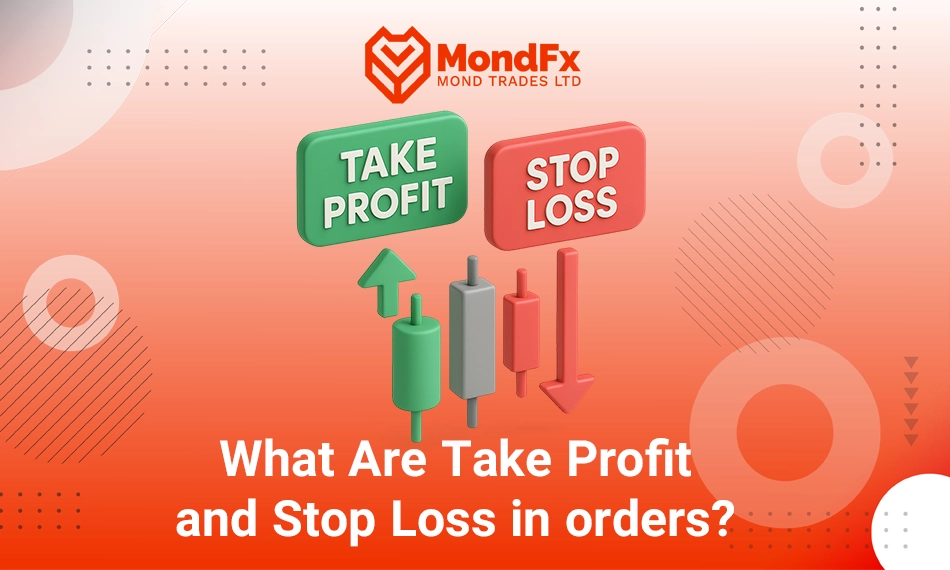
What Are Take Profit and Stop Loss in orders?
Take Profit (TP) and Stop Loss (SL) are two important tools in risk management and trading strategy in the Forex market that help traders benefit automatically from market movements and prevent large losses.
Stop Loss (SL)
A stop loss is a trading order that allows traders to automatically close their positions when the price reaches a specified point. The purpose of this tool is to prevent further losses in situations where the market moves against your analysis. In simple terms, if the market reaches your stop loss price, the position is automatically closed to prevent further loss.
Example: If you open a buy position and set the stop loss 50 pips below the entry price, as soon as the price reaches that point, your position will be closed.
Take Profit (TP)
Take profit, like stop loss, is an order that allows the trader to close their position when the price reaches a specific level. This order automatically closes your position when a predetermined profit level is reached. The purpose of this tool is to secure profit at a specific price that the trader has determined in advance.
Example: If you open a buy position and set the take profit 100 pips above the entry price, as soon as the price reaches that level, your position will be closed and your profit will be recorded.
The Importance of Using Take Profit and Stop Loss
Using take profit and stop loss helps traders separate emotions from their trades and act automatically according to their strategy. These tools allow you to manage your risk and profit without the need for constant market monitoring and prevent unnecessary losses.
The importance of setting a stop loss in forex
In financial markets, especially Forex, price fluctuations can be extremely fast and unexpected. These fluctuations can lead to the loss of a significant amount of capital if risk is not managed properly. A Stop Loss helps you predefine your loss limit, and since it operates automatically at critical moments in the market, no emotions will be involved at the time the loss occurs. This feature is especially important for beginner traders who may make wrong decisions under psychological pressure.
Stop Loss, alongside other risk management tools such as Take Profit, enables traders to better control market conditions and prevent the increase of losses.
How to place stop loss?
In order to be able to set a Stop Loss correctly and effectively on the MetaTrader platform, you must first become familiar with the functions and features of this platform. In the following, the step by step process of placing a Stop Loss in MetaTrader will be explained in a comprehensive and precise manner.
Step One: Opening a Trading Position
Before you can set a stop loss, you must first open a trading position. To do so, follow the steps below:
1. Selecting the Symbol or Currency Pair: First, you need to select the symbol or currency pair you intend to trade from the list of assets in the Market Watch window.
2. Opening the Order Window (New Order): After selecting the symbol, click on it and choose the “New Order” option. A window called “Order” will open, in which you can enter the details of your order.
3. Selecting the Position Type: In this window, you must specify the type of your position. For example, if you want to buy, select the “Buy” option, and if you intend to sell, choose the “Sell” option.
4. Setting the Trade Volume: Enter the desired volume or number of lots for the trade. The trade volume depends on your level of risk and the size of your trading account.
After entering these details, you can enter the stop loss in the order window to set up your trade with proper risk management.
Step Two: Entering the Stop Loss in the Order Window
After selecting the position type (Buy or Sell) and setting the trade volume, you must set your stop loss. At this stage, the order window allows you to enter the stop loss value.
1. Stop Loss Placement: In the “Order” window, there is an option called “Stop Loss.” You must enter the exact stop loss price in this field.
2. Logical Distance from the Entry Price: To set a stop loss, you should consider a logical distance from your entry price. This distance must be consistent with your technical analysis. Generally, to place a stop loss, you should use key levels such as support and resistance, trend lines, or indicators such as moving averages.
Buy Position: If you have opened a buy position, you should place your stop loss below the entry level and usually near a key support level. This ensures that if the price moves in the opposite direction and reaches the support level, your position will be closed to prevent further loss.
Sell Position: For a sell position, the stop loss should be placed above a resistance level. In this way, if the price reaches the resistance level and starts to reverse, your position will be closed and further losses will be prevented.
3. Using Analytical Tools: To determine the exact placement of the stop loss, use technical analysis tools such as Fibonacci levels, pivot points, and other technical indicators. These tools help you place the stop loss at appropriate points.
Step Three: Using MetaTrader Tools to Set the Stop Loss
MetaTrader allows you to set your stop loss graphically as well. This feature makes setting the stop loss easier and faster for traders.
1. Using the Graphical Feature: On the price chart, after opening a position, a horizontal line that represents your entry price will automatically appear. To set the stop loss, simply click on this line and drag it up or down to adjust your loss limit.
2. Accuracy in Adjustment: When using this graphical tool, you must ensure that you place the stop loss at a point that aligns with your analysis and prevents short term market.
3. Changing the Stop Loss During the Trade: You can change your stop loss whenever needed during the trade. To do this, simply click on the stop loss line on the chart and drag it to a new location.
Step Four: Confirming and Registering the Stop Loss
After entering the stop loss and adjusting it manually or graphically, you must confirm your order.
1. Clicking on Place: After entering the stop loss, click on the “Place” button so that your order, along with the stop loss, is registered.
2. Automatic Application of the Stop Loss: After the order is registered, the stop loss is automatically applied within the MetaTrader system. Now, if the price reaches the stop loss level that you have set, your position will be closed automatically and further losses will be prevented.
3. Monitoring Market Changes: After placing the stop loss, you should continuously monitor market conditions and your position. If necessary, you can change the stop loss or use additional features such as the “Trailing Stop” to take advantage of further favorable market movements.
Important Tips for Setting a Stop Loss
The stop loss should be set in a way that is consistent with volatile market conditions. Also, a logical distance from the entry price must be considered to prevent unnecessary position closure.
1. Stop Loss and Market Volatility
Market volatility is one of the factors that must be considered when determining the stop loss distance. If the market has high volatility, you may need to allow a wider stop loss distance to prevent your position from being closed prematurely. Otherwise, your stop loss may be triggered by short term market fluctuations and cause your position to close.
2. Using a Trailing Stop
One of the very useful features in MetaTrader is the use of a variable stop loss or “Trailing Stop.” This tool automatically moves your stop loss along with market movement. This means that when the market moves in your favor, the stop loss is shifted to a new level, allowing you to benefit from greater profits.
Using a trailing stop is especially useful when you intend to keep your position open for the long term while also protecting the profits you have gained.
3. Observing a Logical Distance for the Stop Loss
Setting a stop loss illogically and too close to the entry price can lead to your position being quickly closed by normal market fluctuations. This issue is especially a major challenge for beginner traders who do not yet have a complete understanding of market behavior. Therefore, you should always consider a logical distance from the entry level for your stop loss.
4. Stop Loss and Technical Analysis
The stop loss should always be consistent with your technical analysis. For example, if you are trading a currency pair and your analysis shows that the price may reach a specific resistance or support level, you can place your stop loss near these levels so that if the market moves toward that level, your position will be closed.
Advantages and Disadvantages of Using Stop Loss in MetaTrader
Stop loss is a powerful tool for risk management in trading and can prevent unnecessary losses. This tool also helps traders automatically prevent further losses and manage their positions without manual intervention.
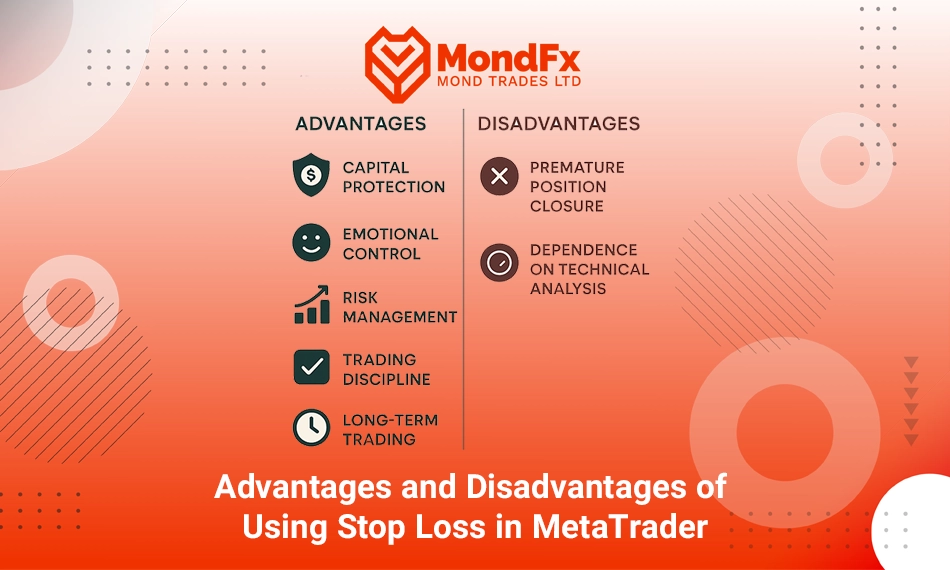
Advantages
1. Capital Protection: A stop loss helps you prevent large losses and protect your capital if the market moves against your analysis.
2. Emotional Control: A stop loss protects you from emotional and impulsive decisions. When the market changes rapidly, the stop loss operates automatically and does not require your manual intervention.
3. Risk Management: By defining a specific loss limit, risk management through a stop loss can prevent uncontrollable losses in your trades.
4. Improved Trading Discipline: Using a stop loss helps you follow your trading strategy in an organized manner and based on technical analysis.
5. Useful for Long Term Trading: In long term trades, a stop loss allows you to hold your position without worrying about short term fluctuations, and it will be closed automatically once the predefined level is reached.
Disadvantages
1. Premature Position Closure: In some conditions, the stop loss may be triggered by short term market fluctuations and close your position before it reaches its intended target.
2. Dependence on Technical Analysis: Accurate stop loss placement requires correct technical analysis. A lack of precision in analysis can lead to placing the stop loss at an incorrect level.
How to Set a Stop Loss on Mobile MetaTrader
Opening a Trading Position: First, log in to your mobile MetaTrader application. After logging into your account, select the currency pair or symbol you intend to trade and tap on it. Then tap on the New Order button.
Selecting the Position Type and Trade Volume: In the new window, enter the order type (Buy or Sell) and your trade volume. This part is important because you must choose a reasonable volume for your account in order to apply proper risk management.
Entering the Stop Loss: In the Stop Loss section, enter the exact stop loss value. You can enter this value numerically or use the chart features to determine the stop loss price based on technical analysis. To determine the stop loss value, you should pay attention to support and resistance levels.
Using Graphical Tools (Optional): In the mobile version of MetaTrader, after opening a position and setting the stop loss, you can enter the chart. On the chart, the horizontal line represents your entry price. Simply hold your finger on this line and drag it up or down to adjust the stop loss graphically.
Confirming and Sending the Order: After entering the stop loss, tap on Place to register your order. From that moment on, the stop loss will be activated automatically, and if the price reaches the specified level, your position will be closed.
A Practical Example of Using Stop Loss in Forex Trading
Suppose the EUR/USD market is ranging between 1.0800 and 1.0850, and the price has touched these levels several times and reversed. You decide to enter a buy position at 1.0810. To protect your capital and prevent losses caused by false breakouts, you set your Stop Loss slightly below the range, at 1.0795. This small distance (15 pips below the entry) allows you to tolerate short term market fluctuations, while in the event of a move against the main direction, large losses are prevented.
For the Take Profit, your target is to reach near the top of the range, at 1.0845. This choice allows you to gain approximately 35 pips of profit and maintain a suitable risk to reward ratio for a ranging market. The important point is that in sideways markets, large movements usually do not occur; therefore, a buy and sell strategy with a small stop loss distance and a short profit target is logical and consistent with market conditions.
Final Remarks
Setting and managing Stop Loss and Take Profit are among the most important risk control tools in Forex trading, which not only prevent large losses but also make it possible to record profits in a structured and goal oriented manner. These two levels are determined based on market conditions, trading style, timeframe, and the trader’s risk tolerance, and there is no single fixed formula that works for everyone; therefore, one method may be effective for a beginner trader but may not be sufficient for a professional trader.
Using these tools correctly makes it possible to separate emotions from trading and to execute strategies automatically, ensuring that a trader’s capital is protected even during periods of intense market volatility. MetaTrader, with its graphical features and the ability to set Stop Loss and Take Profit manually or automatically, has made precise trade management simple and effective. Ultimately, observing a logical distance, applying technical analysis, and utilizing tools such as the Trailing Stop can make the difference between a controlled trade and a high risk trade, and play a key role in long term success in Forex. If you are looking to begin a reliable path in the world of trading, cooperating with the MondFx team can be a good starting point for building your personal strategy.