MetaTrader 5 پر پہلی ٹریڈ (ڈیسک ٹاپ)
- 01
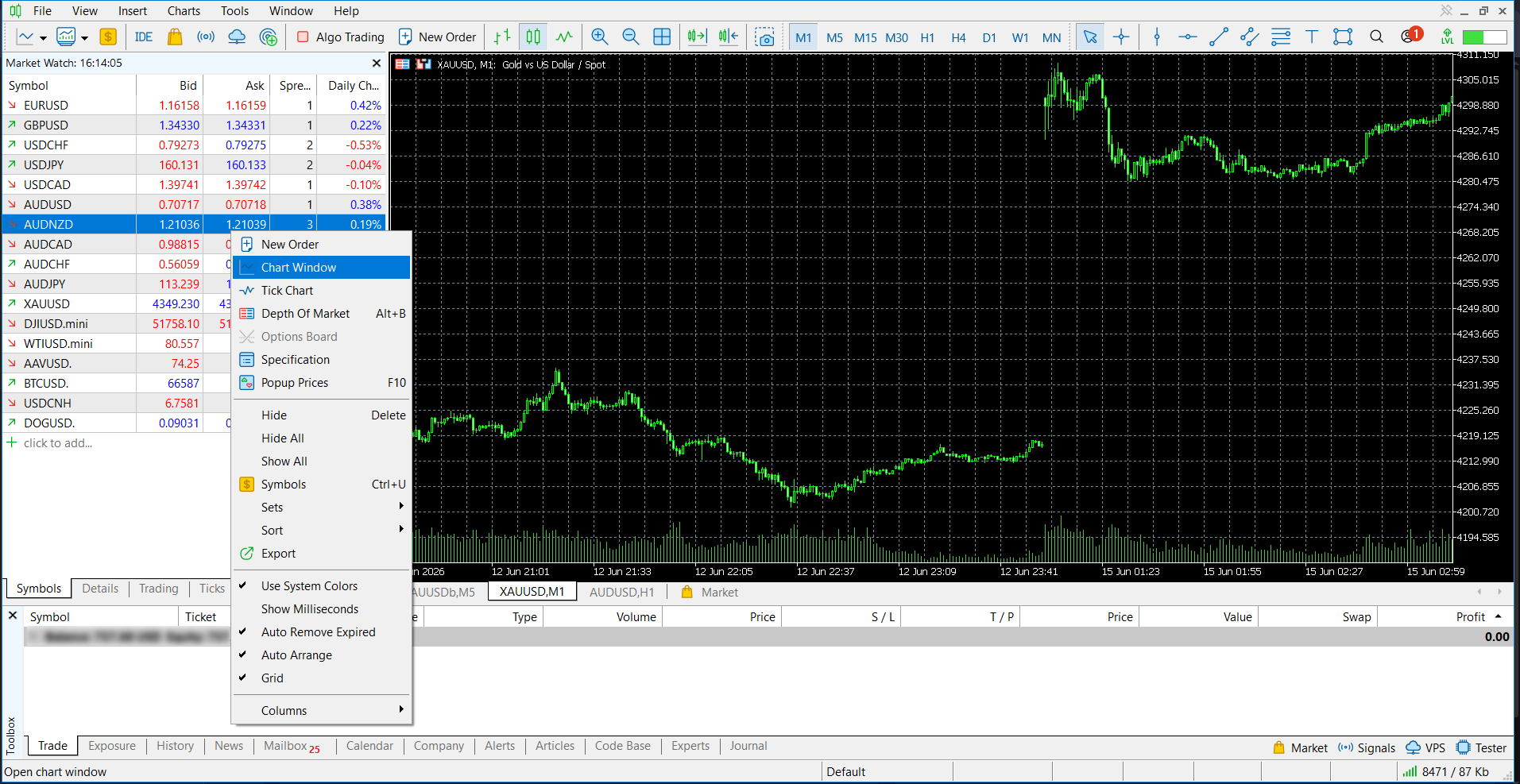
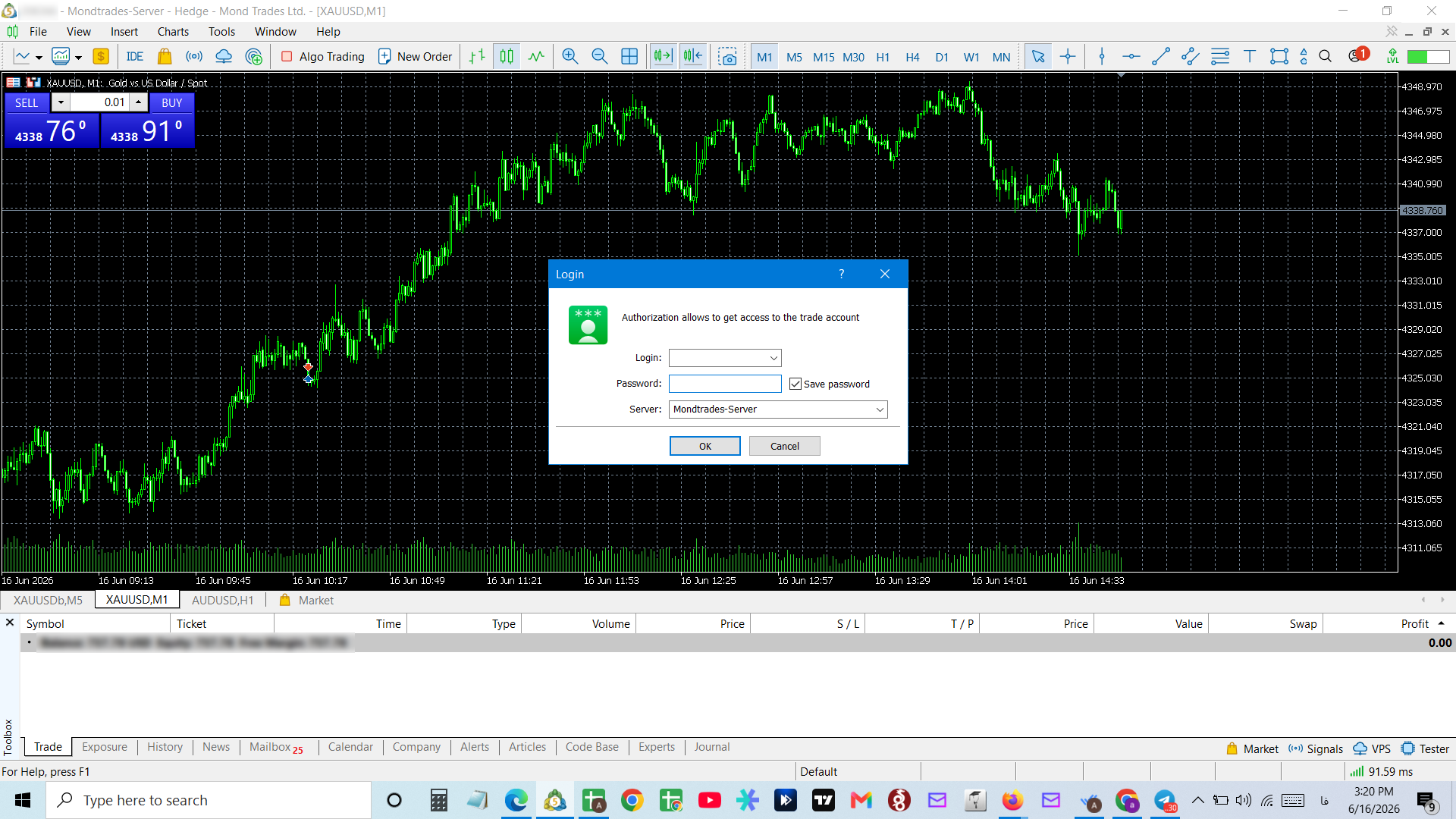
لاگ ان کے بعد Symbols کی فہرست سے اپنا سمبل منتخب کریں۔ اس پر رائٹ کلک کریں اور چارٹ دائیں طرف کھولنے کے لیے "Chart Window" منتخب کریں۔
- 02
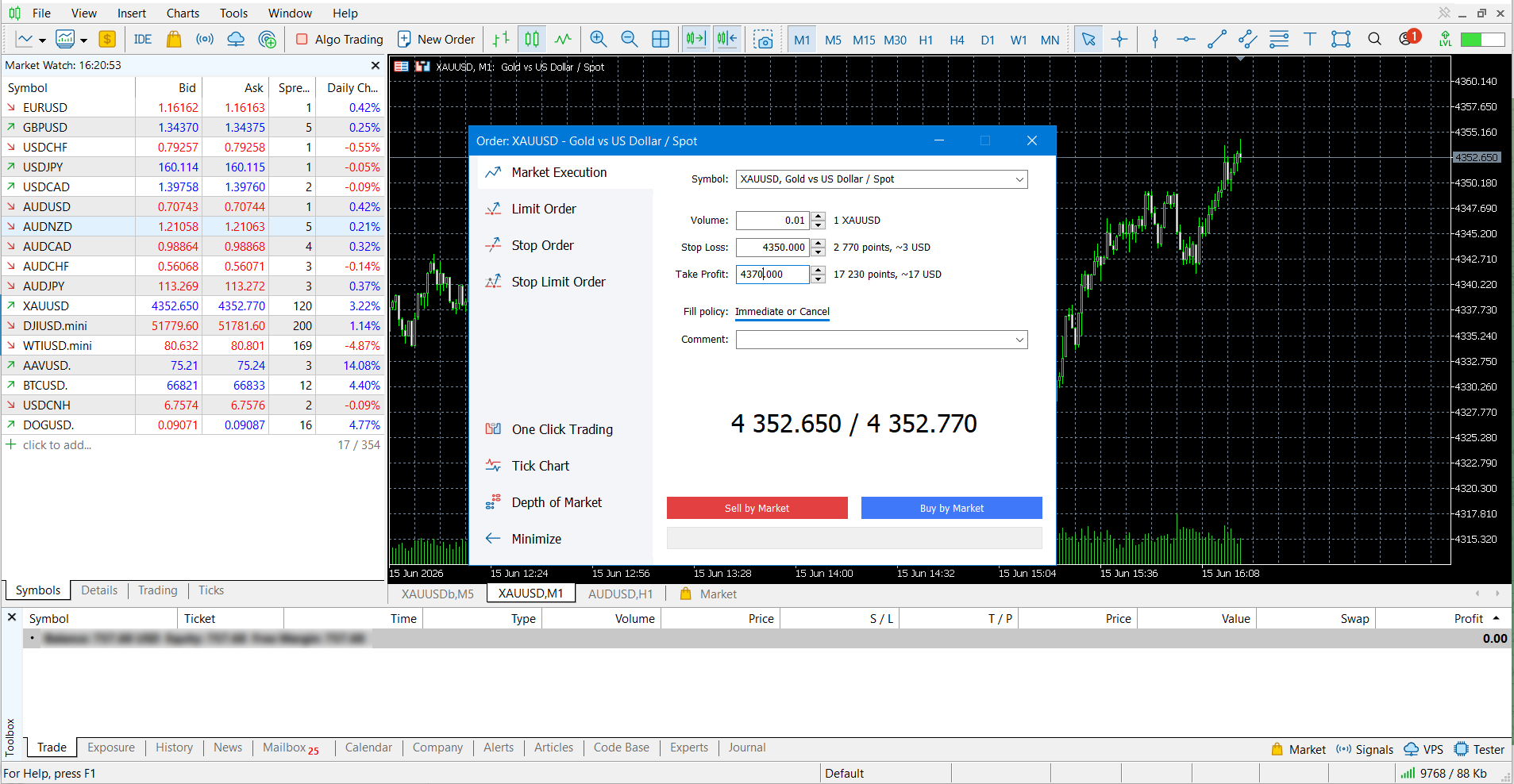
ٹریڈنگ آپشنز تک پہنچنے کے لیے چارٹ پر رائٹ کلک کریں۔ Trading سے آرڈر کی قسم منتخب کریں، پھر والیوم، Take Profit (TP)، اور Stop Loss (SL) سیٹ کریں۔
- 03
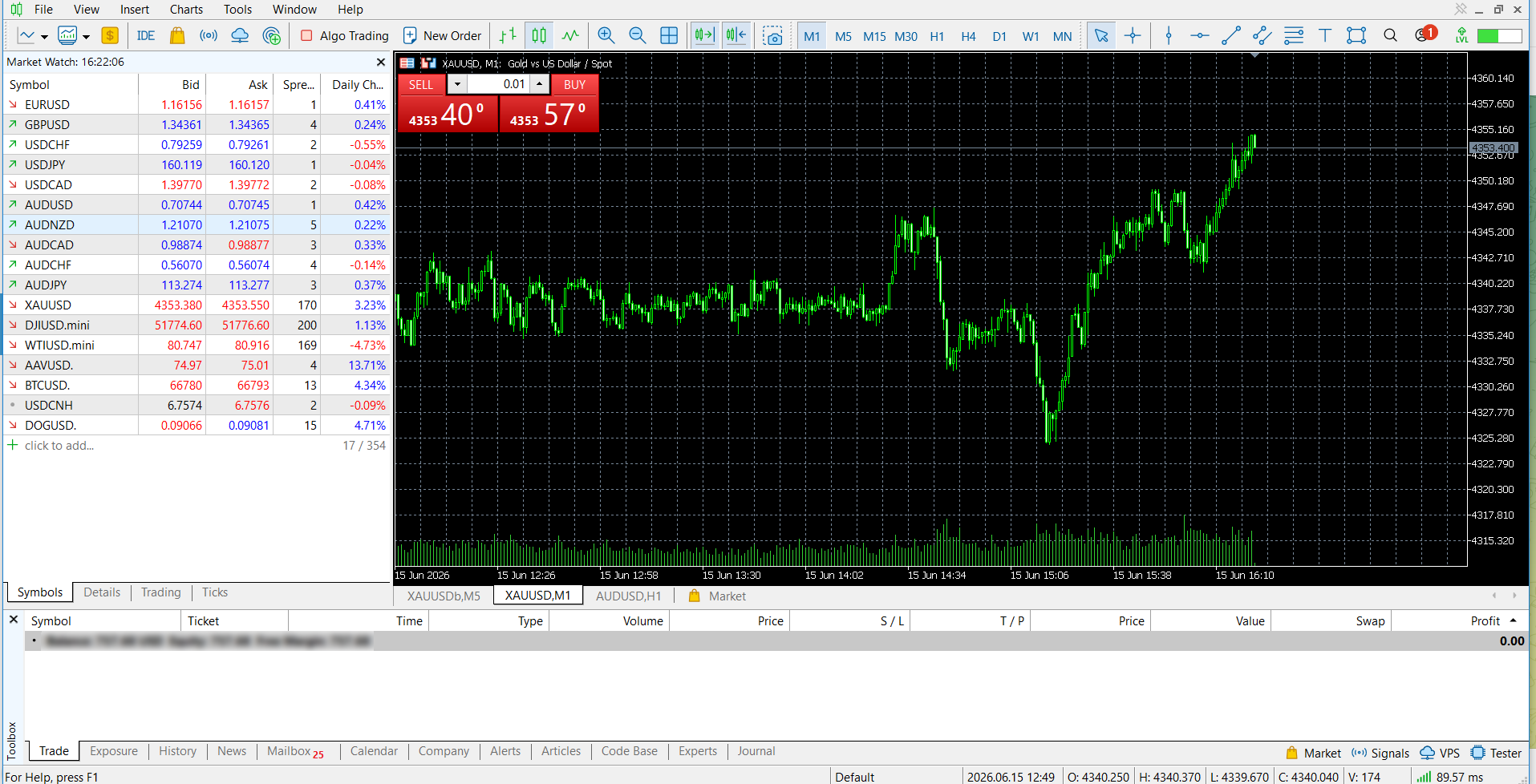
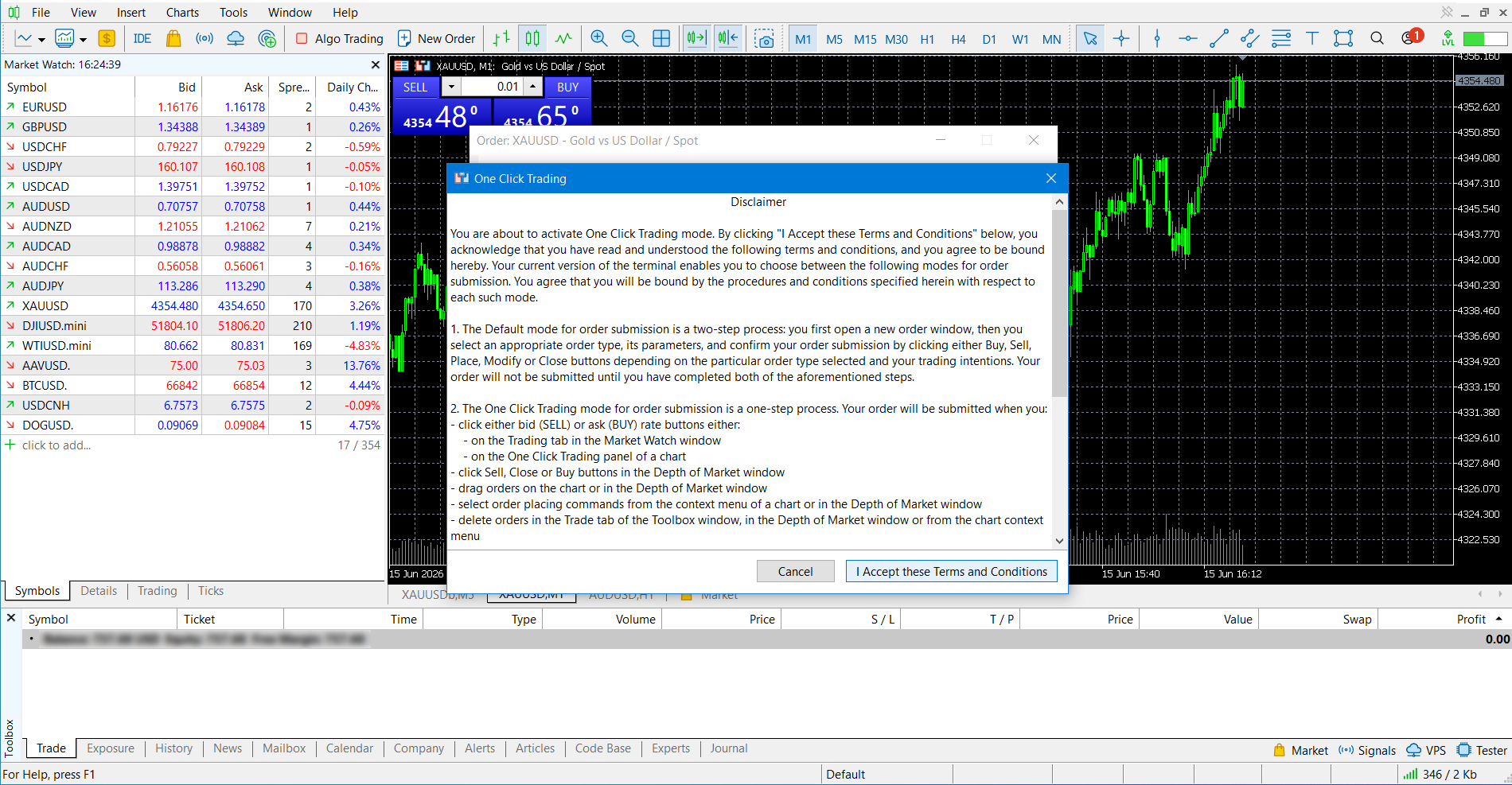
چارٹ پر دکھائے گئے ٹوگل پر کلک کر کے One Click Trading فعال کریں؛ آپ Alt+T شارٹ کٹ بھی استعمال کر سکتے ہیں۔
- 04
پہلی BUY/SELL کلک پر، ون-کلک آرڈر پلیسمنٹ کو فعال کرنے کے لیے معاہدے کو قبول کریں۔