
LIVE
Platforms

Platform Connection

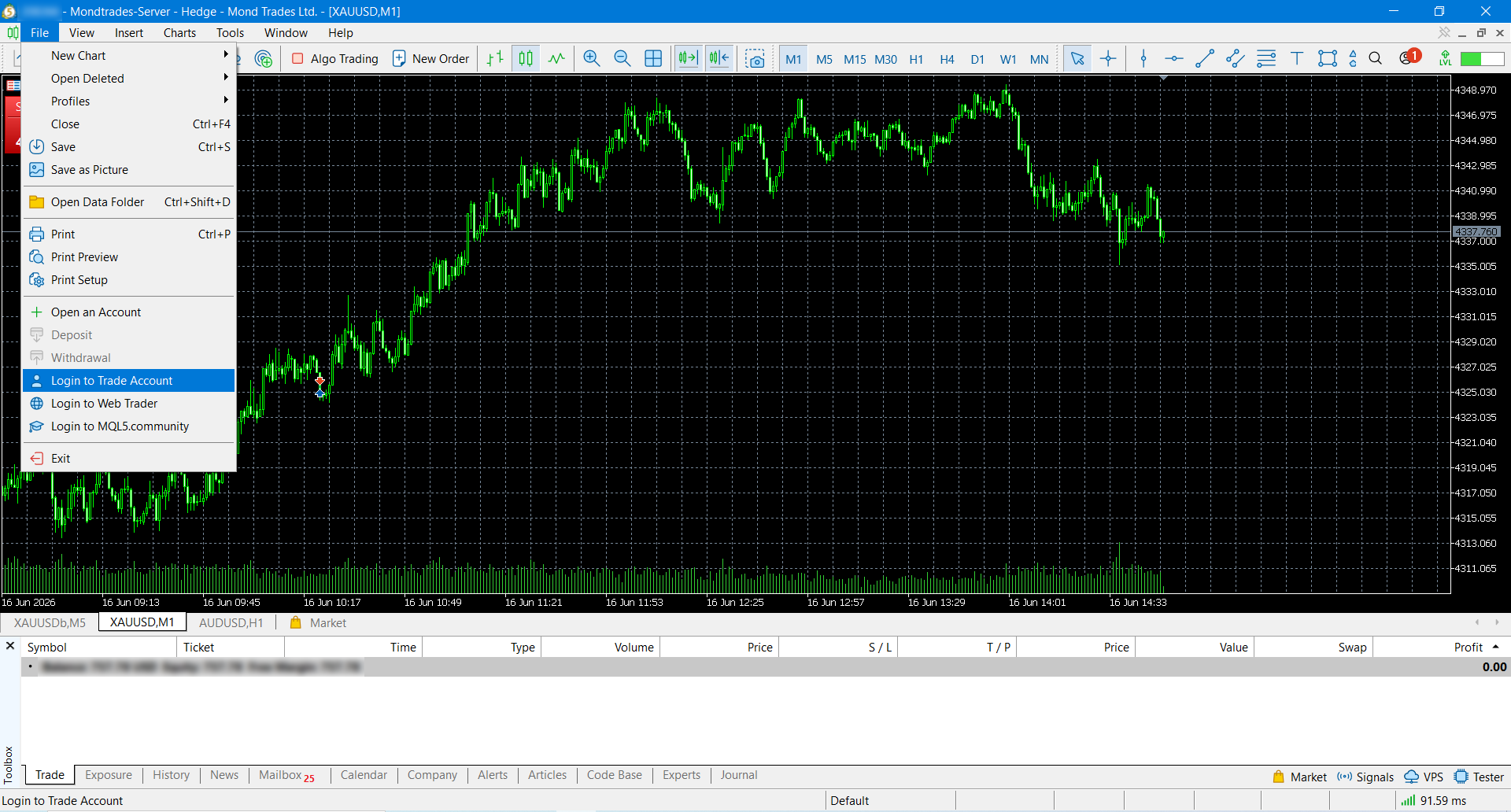
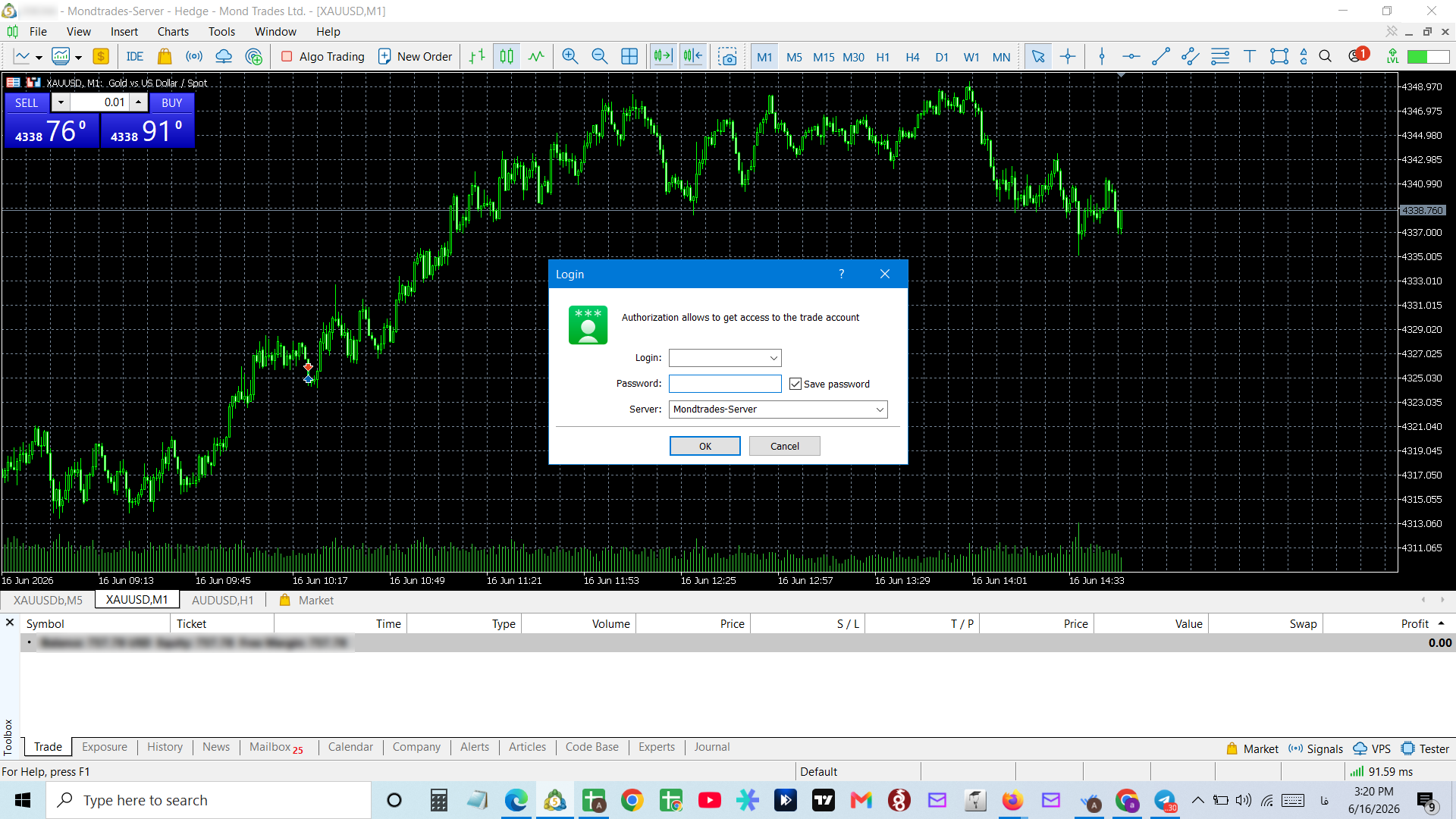
To connect accounts created in your MondFx dashboard (mondfx.com) to MetaTrader 5, first download and install the platform. Then go to File → Login to Trade Account and enter the credentials (username and password sent to your email) to access your trading account.

Step 1
Step 01
Step 2
Step 02

Connection Steps

  1. 01

    Download and install MetaTrader 5 from the website.

  2. 02

    Open MT5 and go to the “File” menu.

  3. 03

    Click “Login to Trade Account”.

  4. 04

    Enter the username sent to your email.

  5. 05

    Enter the password sent to your email.

  6. 06

    Confirm and access your trading account.