Forex Factory is a comprehensive website designed for forex traders, providing essential tools and information to support successful trading. Launched in 2004 by David Frankel as a discussion forum for traders to share insights and strategies, it gradually evolved into a professional trading community. In 2018, with the growth of Forex Factory, several specialized websites were also introduced, including Crypto Craft (focused on cryptocurrencies), Energy EXCH (dedicated to the energy market), and Metals Mine (covering precious and industrial metals). These platforms were created to deliver news and market data in a more structured and organized way for each sector
Practical Guide to Forex Factory
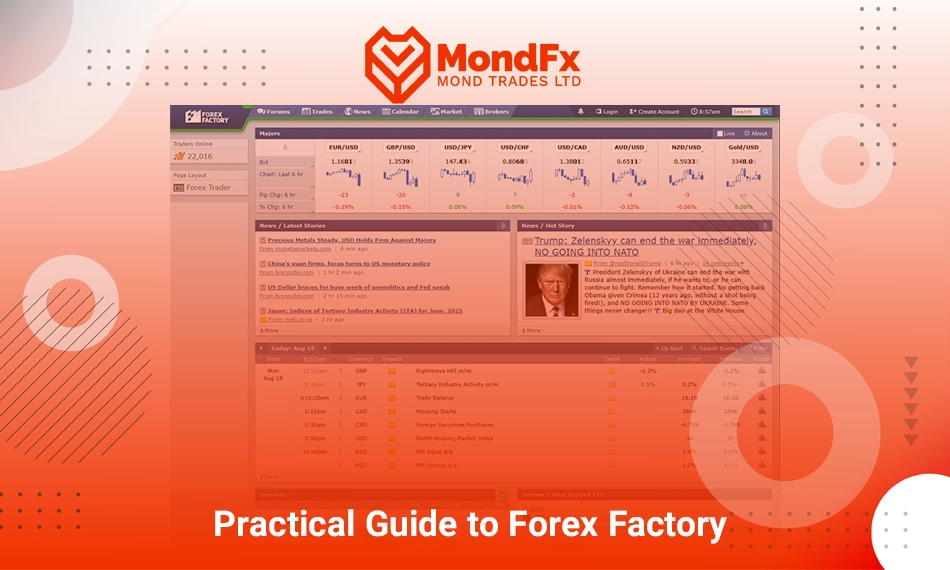
Navigation Bar
Forums
A discussion forum for traders where people share their analyses, experiences, and perspectives about the market.
Trades
A section for viewing others’ trades and becoming familiar with different strategies and trading styles.
News
Important economic news is published in this section, allowing traders to follow the latest market developments in real time.
Calendar
The website’s economic calendar that displays the release times of key events and important economic data.
Market
Live market information including prices, charts, and fluctuations of currency pairs and various assets is provided in this section.
Brokers
This section is designed for introducing and comparing brokers, helping users choose the right broker for their needs.
Left Sidebar
Traders Online
Displays the number of traders currently online, allowing users to see how many members are active on the site at the same time.
Page Layout
Provides the option to change the layout and appearance of the page so users can customize their dashboard according to their preferences or needs.
Forex Broker Activity
Contains links to view live spreads of currency pairs and related broker updates.
Main Content
Majors
An overview of major currency pairs such as EUR/USD, GBP/USD, USD/JPY, as well as Gold/USD. In this section, users can view real time prices, hourly changes, percentage fluctuations, and the market’s open or closed status.
Latest Stories
The latest economic and analytical news from various sources is displayed in this column, along with the time and source of publication.
Hot Story
A key news item or analysis of the day is highlighted here, usually covering the topic with the greatest impact on the market.
Calendar Preview
A summary of the day’s economic calendar is provided in this section. Events are shown along with their release time, related currency, importance level, actual value, forecast, and previous value, giving traders a quick overview of the day’s outlook.
Sessions
Market Sessions
This section shows the trading hours of the world’s main sessions (Sydney, Tokyo, London, and New York). Users can visually see when each market is open or closed, which is crucial for planning and adjusting trading strategies.
Forums / Latest Replies
Latest Replies
The latest replies and user activities in the forum are displayed here. Each post includes the username, reply time, a short excerpt of the reply, and the main topic title. This section helps traders quickly access active forum discussions.
Forums / Most Replied 12H
Most Replied Threads
This section displays the most active forum topics over the past 12 hours. The number of replies, the thread category (such as Broker Discussion or Trading Systems), and the latest reply are also shown. This section is particularly important for those who are looking for trending and highly engaging discussions.
How to Create an Account on Forex Factory
Step 1: Go to the Registration Page
Click on the Create Account option in the top menu of the website to be redirected to the registration page.
Step 2: Enter Your Account Information
Username
Choose a username. This name will be publicly displayed in the forums and your activities.
Password and Retype Password
Enter a secure password, then re-enter the same password in the next field to confirm it.
Email Address
Enter your valid email address. This email will be used to activate your account and recover your password in the future.
Trading From
Select the country you are trading from. This option is used to display local time and improve synchronization with the economic calendar.
Terms Agreement
Check this box to confirm that you have read and accepted the website’s Terms of Service and Privacy Policy.
Step 3: Create Account
After completing the form, click the Create Account button. If all the information is correct, your account will be created. Otherwise, you will receive an error message (for example, if the password is too short or the email entered is invalid).
Step 4: Activate Account
An activation email is usually sent to you. Open your email, click on the activation link, and your account will be ready to use.
Practical Use of the Calendar
The Forex Factory economic calendar is one of the most important tools on the site. In this section, the release times of key news and data can be filtered by currency and importance (Impact). It also provides the option to change the Time Zone, allowing users to view events according to their local time. The Actual, Forecast, and Previous columns in the table respectively display the released data’s actual value, the market forecast, and the previous value essential information for analyzing the news impact on the market.
Importance of the Market and News Sections
The Market section provides live market data, enabling traders to quickly see the overall trend of major currency pairs, gold, and indices at a glance. This section is highly useful for quickly assessing the market’s direction. Alongside it, the News section publishes the latest economic and financial news in real time. By following this section, traders can better understand market sentiment and reactions to news events.
Important Tips for Beginners in Using Forex Factory
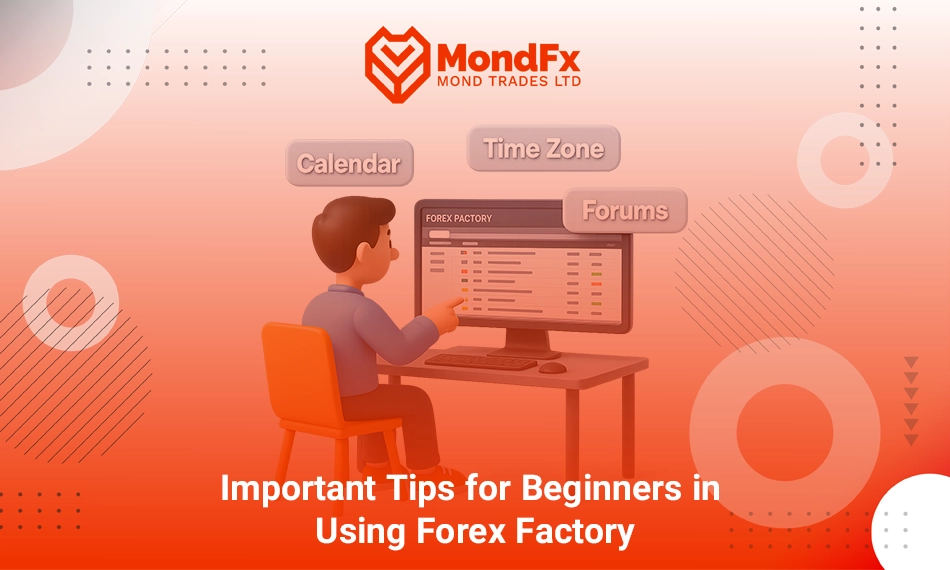
New traders should understand that Forex Factory is mainly an informational and analytical resource, not a tool for receiving guaranteed signals. Therefore, it is best to use its features intelligently and purposefully.
The first important section is the Economic Calendar (Calendar). A trader should learn how to filter events for example, showing only the news related to the currency pairs they trade, or only high impact news. Changing the Time Zone to local time is also crucial, as it ensures that news releases are displayed according to the trader’s local time, allowing better planning for trades.
The News section is also useful, but beginners should avoid making trading decisions based solely on headlines. The best approach is to follow the news to understand overall market sentiment, while also checking the market’s reactions to key data within the economic calendar.
The Forums provide a good space for learning from others’ experiences. However, beginners should not base their trades solely on other people’s opinions. The proper way to use this section is as a place for exchanging ideas and gaining inspiration not blindly copying other traders’ strategies.
Keeping a personal trading journal alongside using Forex Factory is highly valuable. Traders can record important events from the calendar or news that impacted the market, and later review whether their decisions at that time were correct. This helps them use Forex Factory as a practical learning tool.
Finally, it is recommended that traders always combine the information they get from the Forex Factory with their own analysis. The site provides data and news, but the final decision always rests with the trader.